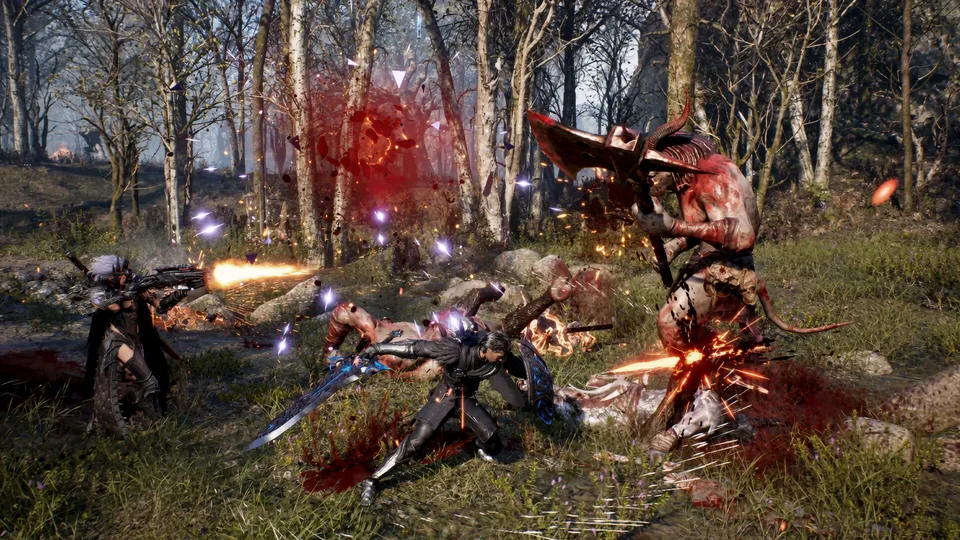
Discover how to join the EVILBANE Xbox Insider playtest. Get the latest steps, region availability, and combat testing details for Windows PC.
Published: EVILBANE Wiki Editorial Team
Table of Contents
Dive Into the EVILBANE Xbox Insider Experience
Prepare to face the apocalyptic forces of the arch demon in a dark fantasy realm where survival demands absolute tactical precision. If you have been tracking the evilbane xbox insider initiative, now is the ideal time to dive into the official pre-alpha preview and test out Netmarble Monster’s upcoming combat systems. Participating in pre-release builds helps developers fine-tune core mechanics before the official launch, making player involvement vital for shaping the final product.
Netmarble Monster designed this early preview to evaluate combat fluidity, party dynamics, and strategic depth. Whether you enjoy solo dungeon crawling or teaming up with up to three other players, understanding the technical requirements and enrollment steps ensures a smooth onboarding process. The following sections outline everything you need to know about joining the playtest, character loadouts, and sharing valuable feedback with the development team.
Overview of the Pre-Alpha Playtest and Availability
The preview phase provides a limited glimpse into an apocalyptic world overrun by demonic armies and heretics. According to player experience reports and official updates, the testing window ran until November 24, 2025. This extended schedule gave participants ample opportunity to explore various mission types and test out different character archetypes.
Platform availability is strictly limited to Windows PC users. Furthermore, the test is open to Xbox Insiders in all regions globally, with the sole exception of South Korea. Reviewing the basic technical parameters before downloading the client prevents unexpected compatibility issues.
Platform Requirements
Supported Device: Windows PC
Distribution Hub: Xbox Insider Hub & Microsoft Store
Geographic Scope: Global availability excluding South Korea
Developer: Netmarble Monster
Test Phase Detail
Specification / Status
Current Status
Closed on November 24, 2025
Platform
Windows PC via Xbox Insider Hub
Player Capacity
Solo or up to 4-player co-op parties
Core Focus
Combat feel, boss fights, skill customization
Step-by-Step Guide to Joining the Playtest
Gaining access to the preview build requires navigating the Xbox ecosystem on your Windows PC. Ensuring you follow the correct sequence within the application interface guarantees a successful installation. Community feedback highlights that checking for updates within the store app resolves most initial download hiccups.
Launch the Xbox Insider Hub application on your Windows PC, or download it from the Microsoft Store if it is not already installed.
Navigate directly to the Previews section within the app interface.
Locate and select Project Evilbane from the available preview list.
Click Join to register your account for the test.
Wait for the registration process to finalize, which will automatically direct you to the Store to install the game client.
For official updates and community discussions, you can check the Project Evilbane Official Store Page to follow long-term updates and future platform announcements.
Combat Mechanics and Character Loadout Options
Combat evaluation stands as the primary objective of the current preview phase. Players can experiment with four distinct characters and four specialized weapon types. Each character loadout allows you to equip one melee weapon and one ranged weapon simultaneously, forcing strategic choices during intense skirmishes against formidable bosses.
Skills are separated into two distinct categories: Active Skills and Heavenstone Skills. Equipping two of each type lets you customize combat styles to fit your preferred playstyle. Mastering well-timed skill activations allows you to pull off clutch plays when battling demonic hordes.
Melee Weapons
Close-quarters engagement tools designed to deal heavy upfront damage and stagger approaching enemies.
Ranged Weapons
Distance-focused armaments used to suppress targets and maintain safe positioning during boss encounters.
Active Skills
Direct offensive and defensive abilities deployed instantly to turn the tide of chaotic skirmishes.
Heavenstone Skills
Specialized mystical enhancements that augment your character's combat potential during critical moments.
How to Submit Your Feedback and Report Issues
Gathering actionable player feedback is essential for Netmarble Monster as they refine the overall experience. Participants are encouraged to share their insights through designated official channels once they finish testing the combat systems and missions.
Complete the official Evilbane Survey located inside the Xbox Insider Hub.
Open the Windows Feedback Hub on your PC to report any technical bugs or performance issues.
Select Report a problem and ensure you include the exact name “Project Evilbane” in your description.
Categorize your submission under Apps and choose the Project Evilbane subcategory before submitting.
Tip
Keep an eye on official social channels like X/Twitter at @XboxInsider and community subreddits to stay informed about sudden maintenance windows or schedule extensions.
Frequently Asked Questions
What platforms support the evilbane xbox insider playtest?
The current playtest is available exclusively on Windows PC via the Xbox Insider Hub and the Microsoft Store.
Who is eligible to participate in this pre-alpha test?
Xbox Insiders across all global regions are eligible to join, with the exception of players located in South Korea.
How many players can team up together in missions?
Players have the flexibility to tackle missions entirely solo or form co-op parties of up to four players to take down powerful bosses.
Where can I submit bug reports during the test?
You can submit feedback through the official survey in the Xbox Insider Hub or by using the Windows Feedback Hub under the Apps category.