Get the latest evilbane download details, Steam playtest schedules, system specs, and co-op action RPG tips. Discover how to join today.
Published: EVILBANE Wiki Editorial Team
Table of Contents
Introduction to the EVILBANE Experience
Are you ready to step into a dark fantasy world of chaos and vengeance? Securing an evilbane download grants players early access to test out Netmarble Monster's upcoming co-op action game. Understanding how to manage your hardware prerequisites and register for playtests is essential before jumping into this high-stakes combat environment.
When executing an evilbane download, preparing your system correctly ensures you can handle intense boss battles and strategic team mechanics without lag. This guide breaks down everything from official Steam requirements to community reports, helping you navigate your first steps into the realm of Gatnoss and the Archdemon's domain.
Understanding the Steam Playtest and Release Status
The development roadmap for this title involves controlled playtest phases rather than an immediate public launch. Players seeking an evilbane download must navigate the Steam store page carefully to request access and join upcoming test schedules.
According to recent announcements on the official Steam Page for EVILBANE, playtest phases have specific time windows. Below is a breakdown of recent event scheduling details reported by the developers.
Event Type
Schedule Details
Action Required
First Steam Playtest
Oct 15 – Oct 19, 2026
Request access on Steam store
Public Release
To be announced
Add to Steam wishlist
Platform Availability
PC (Windows 10, 64-bit)
Ensure DirectX 12 compatibility
Tip
Always check your Steam notification center after requesting access. Playtest invitations are often rolled out in waves, and spots may be limited depending on server capacity during active testing blocks.
System Requirements and Hardware Preparation
Running modern action RPGs smoothly requires meeting specific hardware benchmarks. Before initiating any evilbane download, review your PC specifications against the official developer guidelines to avoid performance bottlenecks.
The game utilizes kernel-level anti-cheat software (Easy Anti-Cheat), which requires manual removal if you decide to uninstall the game later. The following hardware comparison highlights the differences between minimum and recommended setups.
Hardware Category
Minimum Requirements
Recommended Requirements
Operating System
Windows 10 (64-bit)
Windows 10 (64-bit)
Processor (CPU)
Intel Core i5-9400F / AMD Ryzen 7 1800X
Intel Core i7-10700K / AMD Ryzen 7 3700X
Memory (RAM)
8 GB RAM
8 GB RAM
Graphics (GPU)
NVIDIA GTX 1060 (6GB) / AMD RX 580
NVIDIA RTX 3060 / AMD RX 5700 XT
DirectX Version
Version 12
Version 12
Verify your Windows installation is running a 64-bit architecture.
Confirm your GPU has at least 6GB of VRAM to match minimum visual standards.
Ensure a stable broadband internet connection for online co-op sessions.
Core Gameplay Mechanics and Combat Strategies
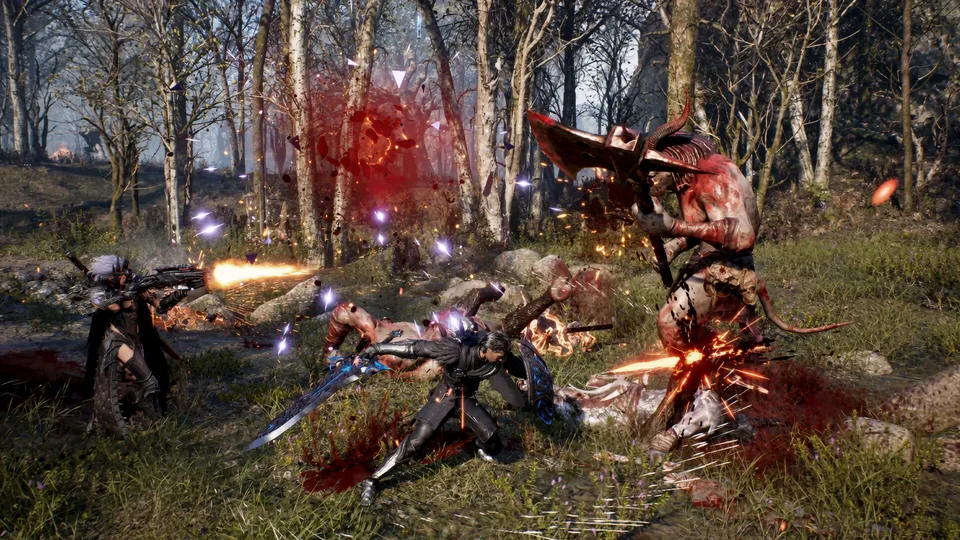
Once you complete your evilbane download and enter the game, mastering weapon flexibility becomes vital for survival. Community reports emphasize that combat relies heavily on quick transitions between melee and ranged attack options.
Players can customize skills dynamically depending on enemy density and boss behaviors. Whether tackling missions solo or coordinating with a 4-player squad, tactical positioning dictates success against corrupted foes.
Melee Combat Focus
Utilize heavy swords and close-range maneuvers to break enemy armor. Ideal for frontline warriors holding aggro during intense boss encounters.
Ranged Weaponry Tactics
Keep distance from explosive hazards and corrupted flora. Ranged attacks help thin out hordes before they overwhelm your team's formation.
Squad Coordination
Combine unique player skills—such as Heaven's Stone abilities—to wipe out large groups of cultists and demonic threats efficiently.
Community Insights and Localization Support
Player feedback from early testing highlights the immersive dark fantasy atmosphere, though users should note that the game features mature elements such as blood and dismemberment. Additionally, developer disclosures indicate that generative AI tools were used in a supplementary capacity for certain background assets, UI icons, and localized voice elements.
Language support varies across interface, audio, and subtitle options. The table below outlines language availability based on official store details.
Language
Interface
Full Audio
Subtitles
English
Yes
Yes
Yes
Japanese
Yes
No
Yes
Korean
Yes
No
Yes
French
Yes
No
Yes
German
Yes
No
Yes
Warning
Keep in mind that Easy Anti-Cheat remains on your system after uninstallation unless manually cleared. Check your system directories if you clean up temporary game files after testing.
Frequently Asked Questions
How do I get an evilbane download?
You can request access directly through the official Steam store page by clicking "Request Access" in the playtest section. An evilbane download becomes available once your account is granted permission for active testing phases.
Is EVILBANE available to play right now?
The full game has a release date listed as "To be announced." However, limited-time playtest events are hosted periodically by Netmarble Monster for registered Steam users.
What are the minimum PC specs required?
To run the game properly after your evilbane download, you need Windows 10 (64-bit), an Intel Core i5-9400F or AMD Ryzen 7 1800X processor, 8 GB of RAM, and an NVIDIA GTX 1060 (6GB) or AMD Radeon RX 580 graphics card.
Does the game support multiplayer co-op?
Yes, EVILBANE is designed as a dynamic 4-player co-op action RPG where teamwork, weapon switching, and strategic positioning are crucial for defeating bosses.