Evilbane System Requirements: PC Specs & Requirements
Check the official Evilbane system requirements for PC. Discover the minimum and recommended specs to ensure smooth action RPG gameplay.
Published: EVILBANE Wiki Editorial Team
Table of Contents
Understanding Evilbane System Requirements for Your PC
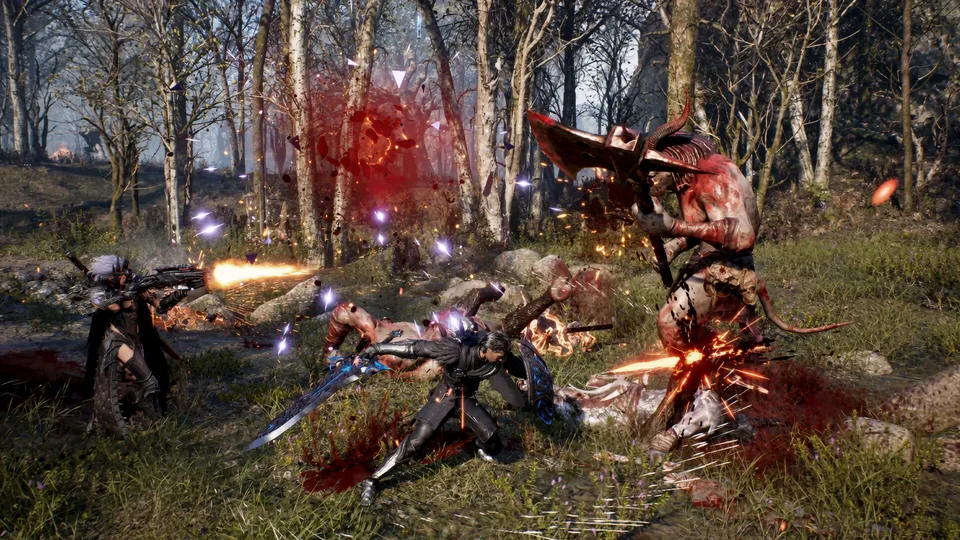
Navigating the hardware demands of modern dark fantasy action RPGs can feel overwhelming, especially when preparing your rig for titles like Evilbane. Knowing whether your computer can handle the intense combat, sprawling dark fantasy environments, and dynamic multiplayer features is crucial before jumping into the action. Evaluating the official evilbane system requirements ensures that you avoid stuttering framerates during crucial boss battles and enjoy the fluid 4-player co-op mechanics developed by Netmarble Monster. In this comprehensive guide, we break down every hardware tier so you can optimize your gaming setup and dive straight into the chaos.
Evaluating your computer's performance specifications before installing demanding software helps prevent unexpected crashes and technical hurdles. Whether you are looking at processor speeds, memory allocation, or graphics card architecture, understanding these technical parameters gives you a distinct advantage. Let us examine the exact hardware benchmarks released for the title on platforms like Steam, ensuring your system meets every necessary standard for seamless gameplay.
Minimum vs. Recommended Hardware Specifications
To run the game smoothly, developers establish baseline thresholds that dictate how your hardware will handle the rendering engine, physics, and particle effects during intense skirmishes. Reviewing the evilbane system requirements reveals a clear divide between baseline playability and high-fidelity performance. Below is a detailed breakdown comparing the minimum and recommended hardware specifications required to experience the title properly.
Minimum Hardware Tier
Designed for players looking to enter the game with standard 1080p performance, requiring an Intel Core i5-9400F or AMD Ryzen 7 1800X, 8 GB RAM, and an NVIDIA GeForce GTX 1060 (6GB).
Recommended Hardware Tier
Tailored for enthusiasts wanting higher framerates and visual fidelity, recommending an Intel Core i7-10700K or AMD Ryzen 7 3700X alongside an NVIDIA GeForce RTX 3060 or AMD Radeon RX 5700 XT.
To further clarify these hardware expectations, the following comparison table outlines the exact technical parameters provided by the developers for your convenience.
Hardware Component
Minimum Requirement
Recommended Requirement
Operating System
Windows 10 (64-bit)
Windows 10 (64-bit)
Processor (CPU)
Intel Core i5-9400F / AMD Ryzen 7 1800X
Intel Core i7-10700K / AMD Ryzen 7 3700X
Memory (RAM)
8 GB RAM
8 GB RAM
Graphics (GPU)
NVIDIA GTX 1060 (6GB) / AMD RX 580 (6GB)
NVIDIA RTX 3060 / AMD Radeon RX 5700 XT
DirectX Version
Version 12
Version 12
Network
Broadband Internet Connection
Broadband Internet Connection
Analyzing Operating System and Software Prerequisites
Meeting hardware specifications involves more than just swapping out a graphics card or adding memory sticks; software compatibility plays an equally vital role in your overall experience. The official evilbane system requirements explicitly mandate a 64-bit processor and operating system running Windows 10. Furthermore, players must ensure their DirectX runtime libraries are fully updated to Version 12 to support advanced graphical features and rendering pipelines implemented by the development team.
Verify your Windows version by typing "About Your PC" into your taskbar search bar.
Confirm that your system architecture is running a 64-bit version of Windows 10.
Check your DirectX diagnostic tool (dxdiag) to ensure DirectX 12 is fully installed and active.
Ensure your internet connection meets broadband standards for stable online multiplayer connectivity.
Community reports and developer notes also highlight that the game utilizes kernel-level anti-cheat software (Easy Anti-Cheat), which requires manual removal if you decide to uninstall the game later. Keeping your software environment clean and updated will minimize background interference and guarantee that your hardware devotes maximum resources to rendering the dark fantasy world.
Storage, Network, and Peripherals Optimization
Beyond raw processing power and graphical muscle, maintaining stable network connectivity and adequate data transfer speeds is essential for cooperative play. Because the game emphasizes dynamic 4-player co-op action and strategic boss coordination, broadband internet is strictly required to prevent latency spikes during combat encounters. According to community feedback, stable ping times significantly improve dodge timing and skill execution when fighting horde bosses.
Verify that your storage drive has sufficient breathing room for game files and future patches.
Test your internet stability to ensure uninterrupted broadband access during co-op sessions.
Keep your GPU drivers updated to the latest versions released by NVIDIA or AMD.
Clean out background applications to free up system memory (RAM) before launching.
For players eager to inspect official store pages, check out the EVILBANE on Steam to track updates, review playtest schedules, and add the title to your wishlist.
Frequently Asked Questions About Evilbane System Requirements
Do I need an SSD to meet the evilbane system requirements?
While traditional mechanical hard drives may launch the game, installing modern action RPGs on a Solid State Drive (SSD) is highly recommended by player experience reports to reduce loading times and texture streaming stutter.
Can I play Evilbane with 8 GB of RAM?
Yes, the official specifications list 8 GB RAM as the baseline requirement for both minimum and recommended tiers, though closing unnecessary background tasks is advised for optimal stability.
What anti-cheat software does the game use?
The developers utilize Easy Anti-Cheat, which operates at the kernel level and requires manual removal after the game is uninstalled from your system.